011 568 1200
011 568 1200
Portal Home > Knowledgebase > Email > Email Settings
Email settings for an Email Client (Outlook, MAC mail etc.):
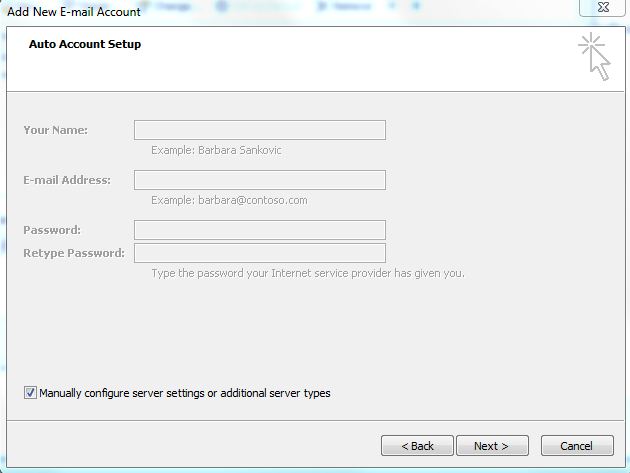
When setting up on Outlook, make sure you select "Manually configure"server settings" and it must be setup as a Pop3 account.
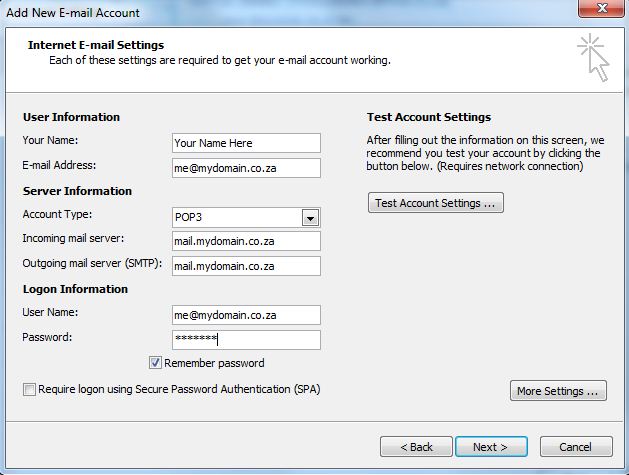
Incoming mail server: mail.yourdomain.co.za (eg. mail.earthweb.co.za)
Outgoing mail server: mail.yourdomain.co.za
Outgoing mail server does require authentication.
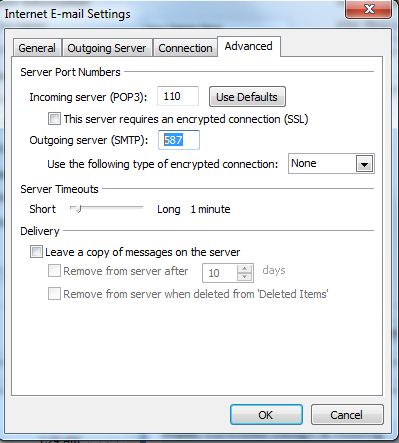
Go to "More Settings" then "Advanced" - put in 587 for Outgoing Server
Incoming mail port: 110 for POP3, 143 for IMAP
Outgoing mail port: 587
Username is the same one as you use for webmail (the full email address).
(If entering "username@yourdomain.co.za" does not work, try "username+yourdomain.co.za)
** No SSL boxes should be checked **
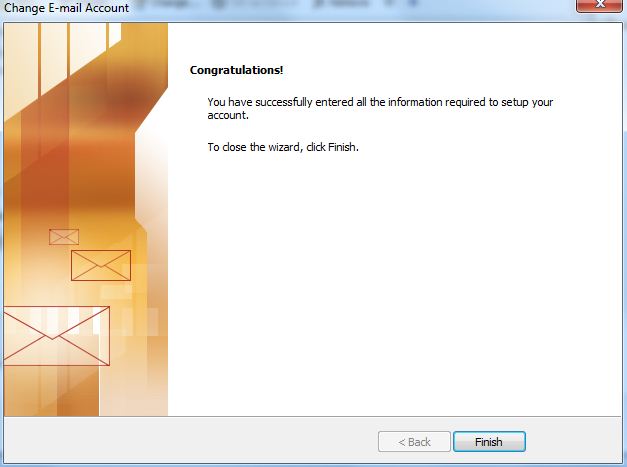
Click on Finish to complete the setup.
 Add to Favourites
  Print this Article


© 2013 | Earthweb
Follow us on: